How to play games on a laptop trackpad without going mad
A trackpad is not a mouse, but a few changes make it much better for games.
Turn on tap to click
Pressing the whole pad down for every click is slow and tiring. With tap to click, a light tap counts as a click. On a Chromebook it is in Settings, under Device and then Touchpad. On Windows it is under Bluetooth and devices, then Touchpad.
Turn the speed down for aiming
In aim games, a slower pointer is easier to control. You can lower the touchpad speed in the same settings.
Dragging
For games that need dragging, press and hold with one finger and move with another. Some laptops also let you tap twice and hold to drag.
Pick the right games
Some games are simply made for a mouse. Others only ever need a click or a tap, and those are perfect on a trackpad. Our mouse-only list has the ones whose own controls never mention a key.
Games to try
1. AIMBALL
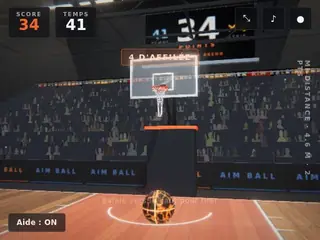
Football & Sports. Works on phone, tablet and computer.
AIM BALL is a 3D basketball shooter played with one finger. Swipe up to shoot: the longer the swipe, the more power. Tilt it to aim left or right.
Controls: Swipe up to shoot The longer the swipe the more power Tilt the swipe left or right to aim Mouse drag works the same…
2. Apex Racer

Cars & Racing. Works on phone, tablet and computer.
Drive a fast race car on a 3D circuit and chase the perfect lap. Track your lap and sector times, beat your best, and unlock faster cars as you go.
Controls: Mouse click or tap to play…
3. Tiny Zomby The Barricade

Shooting. Works on phone, tablet and computer.
A bomb went off, the radiation did the rest, and now the whole town wants a piece of you.
Controls: Mouse click or tap to play…
4. Draw the RailBall Physics
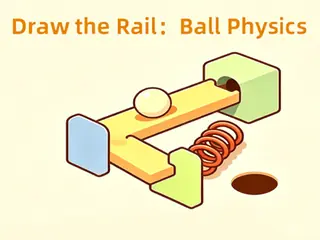
Puzzle & Brain. Works on phone, tablet and computer.
Draw rails and pipes to guide the rolling ball to the goal. Use planks, springs, accelerators and bumpers to build your own physics track.
Controls: Drag props from the panel to place them on the scene Tap the start button to launch the ball Drag placed props to reposition Tap delete to…