How to play browser games fullscreen on a Chromebook
A game in a small box is hard to play. There are three ways to make it bigger on a Chromebook, from best to simplest.
1. Use the Fullscreen button on the game page
Every game page here has a Fullscreen button next to the game. It makes the game alone fill the screen, with nothing else around it. This is the best option.
Press Esc to come back.
2. Use the Chromebook’s fullscreen key
On the top row of a Chromebook keyboard there is a key showing a rectangle with corners, usually the fourth key along. It makes the whole browser fullscreen, hiding the tabs and the address bar.
Press it again to come back.
3. Zoom out the page
If a game is cut off at the edges, hold Ctrl and press the minus key to zoom the page out. Ctrl and 0 puts it back.
On other computers
On Windows, F11 makes the browser fullscreen. On a Mac, Ctrl, Cmd and F together does the same. The Fullscreen button on the game page works everywhere.
Games to try
1. Extreme Quad Bike Racing

Football & Sports. Works on phone, tablet and computer.
Extreme Quad Bike Racing is a fast 3D ATV racing game with 12 challenging levels and an endless mode.
Controls: A D or Left Right Arrow keys steer W Up Arrow or Right Ctrl nitro S Down Arrow or Space brake Mobile tilt to steer and use the on-screen nitro and brake buttons Mouse or touch…
2. Tug Pull Crash Challenge

Cars & Racing. Works on phone, tablet and computer.
Enter a tug-of-war arena where customized cars battle for control. Hold the accelerator to pull your rival toward dangerous crushers, manage engine heat, upgrade wheels and body parts, unlock…
Controls: Hold Space W Up Arrow or Right Arrow to pull You can also hold the left mouse button anywhere on the game area Release the key or mouse button to ease the engine Touch and hold the large…
3. Zombie Shooter: Evil Outbreak
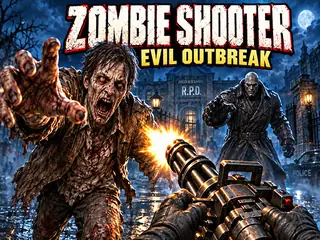
Shooting. Works on phone, tablet and computer.
Survive five infected locations in Zombie Shooter: Evil Outbreak, a survival horror shooter with six weapons, breakable scenery and procedural maps.
Controls: Mouse click or tap to play…
4. GORILGO FPS
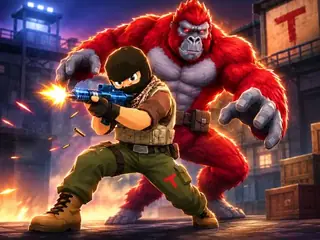
2 Player. Works on phone, tablet and computer.
Experience relentless, fast paced 3D first person shooter action where every battle feels chaotic and intense.
Controls: Move with WASD Press Space to jump Press F to transform into a gorilla Both PC and mobile controls…