WASD or arrow keys? Keyboard game controls explained
Most browser games say “WASD or arrow keys” somewhere in the controls. Here is what that means and which to pick.
The arrow keys
The obvious choice: up, down, left and right. They work in almost every game, and they are the easiest to explain to someone who has never played before.
WASD
W is up, A is left, S is down and D is right. They sit under the left hand, which leaves the right hand free for the mouse. That is why shooters and 3D games use them.
It also leaves the space bar and Shift right under your left thumb and little finger, which is where jump and run usually live.
Which should you use?
If the game uses the mouse too, use WASD. If it is keyboard only, use whichever feels natural. In two player games, one player takes each.
Other keys games love
Space is jump or shoot. Shift is run. E is interact. R is reload. Esc or P is pause. When in doubt, try those.
The keys scroll the page instead
If pressing the arrow keys scrolls the page rather than moving your character, click inside the game once. The game only gets the keyboard once it has been clicked.
Games to try
1. Basketball League

Football & Sports. Best on a computer: needs a keyboard.
Basketball League is a fast-paced arcade basketball game with one-on-one and two-on-two matches.
Controls: 1 Player Arrow keys to move X to shoot dunk Z for supershot 2 Players Player 1 uses WASD V B Player 2 uses Arrow keys L K Move to the shot or dunk spot hold to charge release…
2. Advance Car Game Parking

Cars & Racing. Best on a computer: needs a keyboard.
Snow Car Parking Game is a fun and challenging 3D driving game where you test your parking skills in a snowy environment.
Controls: W A S D or Arrow Keys – Drive and steer…
3. Boat War Mayhem

Shooting. Best on a computer: needs a keyboard.
Navigate wild jungle rivers on an inflatable raft while dodging explosive traps and enemy fire!
Controls: Mouse to navigate move or WASD Arrow keys to move boat…
4. Worm Path
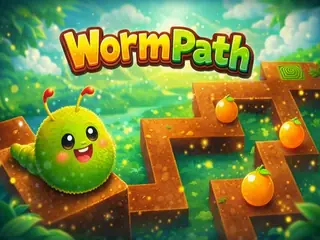
Puzzle & Brain. Best on a computer: needs a keyboard.
Worm Path is a challenging logic puzzle game where you guide a clever worm through tricky mazes to reach the exit.
Controls: A S D W or Arrow buttons to play…