How to stop browser games lagging on a slow laptop
A browser game that stutters is usually fighting something else for the computer. These help, roughly in order of how much.
Close other tabs
Every open tab uses memory and some use the processor. Close everything except the game.
Plug the charger in
Many laptops slow themselves down on battery to save power. Plugged in, they run at full speed.
Go fullscreen
Browsers put more effort into the tab you are looking at. Fullscreen also stops the browser redrawing everything around the game.
Lower the game’s quality setting
Many 3D games have a quality or graphics option in their menu. Low quality often doubles the smoothness.
Check graphics acceleration
In Chrome, Settings, then System: “Use graphics acceleration when available” should be on. Without it, 3D games run on the processor alone and crawl.
Restart the browser
Browsers slow down after being open for days. A restart clears that.
Pick lighter games
2D and pixel games need far less than 3D ones. On an older laptop they are simply smoother.
Games to try
1. Wiggly Worm Race

Football & Sports. Works on phone, tablet and computer.
Wiggly Worm Race is a simple and super fun racing game for kids! Pick your worm, tap your button as fast as you can, and be the first to cross the finish line.
Controls: Player 1 Arrow Keys Touch Right and Left Side Player 2 A & S Keys Player 3 V & B Keys Player 4 L &…
2. Turbo Team Racing

Cars & Racing. Works on phone, tablet and computer.
Turbo Team Racing is a fast-paced top-down arcade racing game inspired by classic retro racers.
Controls: Desktop Arrow Keys A-D Steer Up Arrow W Accelerate Down Arrow S Brake Reverse N Nitro if available Mobile Tap left right controls to steer Use on-screen pedals to accelerate and brake Hint…
3. Galala

Shooting. Works on phone, tablet and computer.
GALALA is an endless space shooter inspired by the golden age of arcade.
Controls: Mouse click or tap to play…
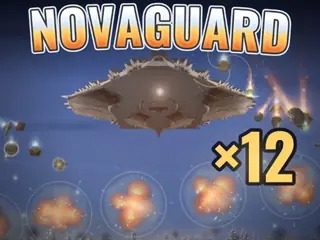
4. NOVAGUARD: Sky Defense
Shooting. Works on phone, tablet and computer.
NOVAGUARD is a one-finger air defense shooter. Tap anywhere in the sky and your batteries detonate an interceptor right there: no aiming stick, no buttons.
Controls: Tap or click anywhere in the sky the closest battery fires an interceptor to that point Hold to charge a bigger blast Drag across the sky to raise the Barrier when the overcharge bar is full…